

This guide will show you how to kick-start your Escape from Tarkov: SPT Fika Dedicated Server.
Click here to order your EFT: SPT Fika Server with Citadel Servers today!
1. Log in to your Game Control Panel.
Navigate to your EFT: SPT server.
2. Open the Updates Tab and install both updates.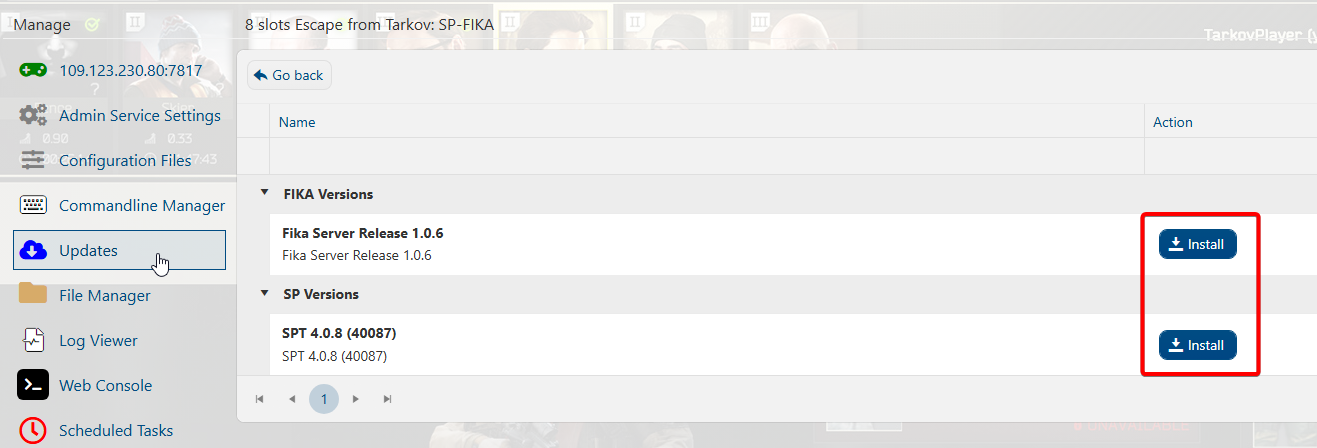
3. Once both are downloaded, you can now start the server.
Tip: Open the server console to monitor the startup process. Look for the following confirmations
SPT Started Correctly: You should see a console row like:

FIKA Loaded Correctly: Shortly after, look for a row confirming FIKA has loaded:


4. Copy the Connection Info's IP and Port to connect.
Edit the connection settings config in your client to connect to the server.
Did the above information not work for you?
Please click here to contact our support via a ticket.