
This guide will show you how to edit the server mod of your Battlefield 1942 server.
Click here to order your Battlefield 1942 Game Server with Citadel Servers today!
1. Log in to your Game Control Panel.
Stop the server first before making any Changes.
2. Download your Mod from sites like NexusMods.
Once downloaded, go to the Control Panels File Manager and upload the mod(s) to the mod folder.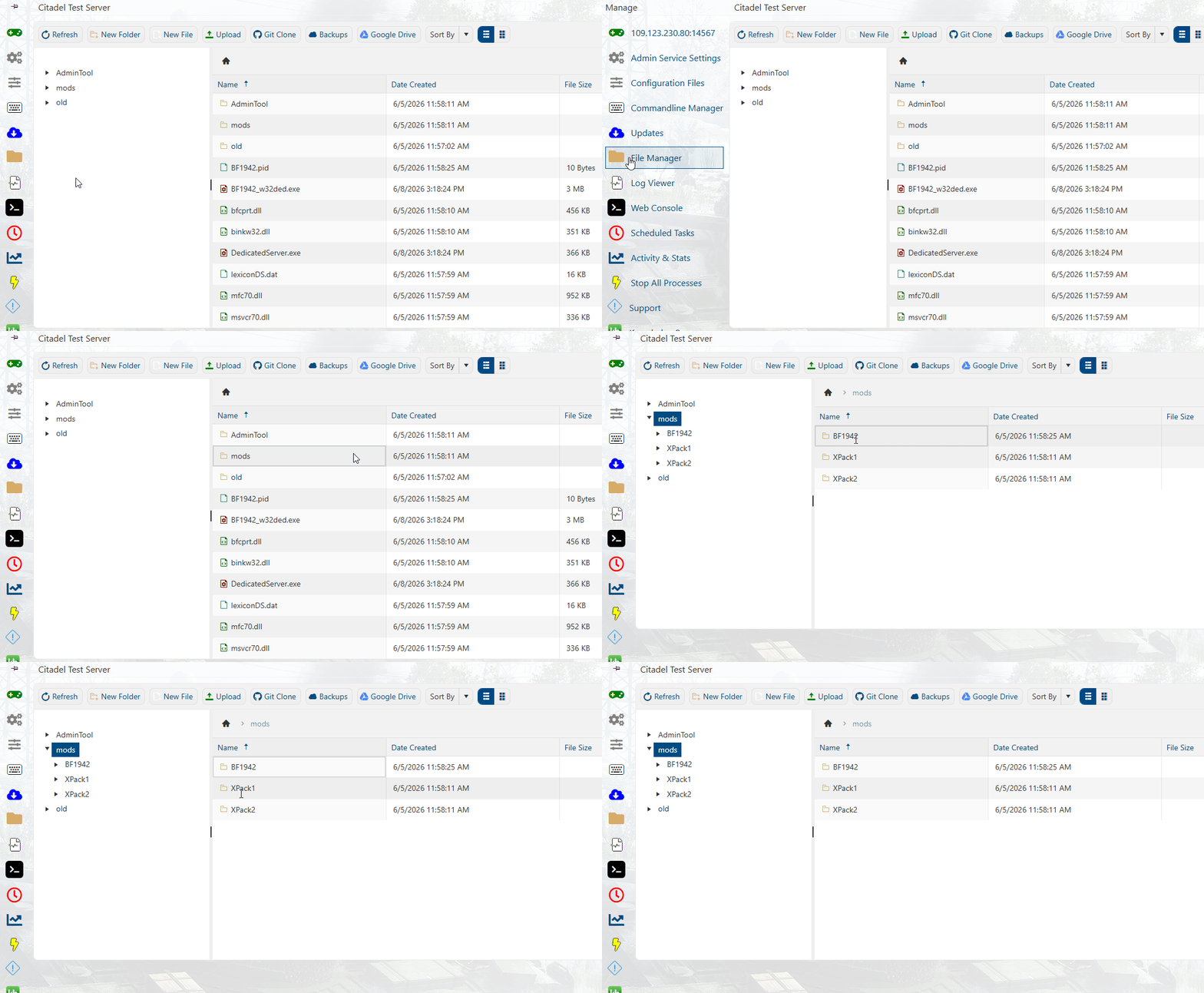
3. Open the Commandline Manager and click Modify on the Modded line.
Select your Mod from the selection in the Dropdown. Click Apply once done.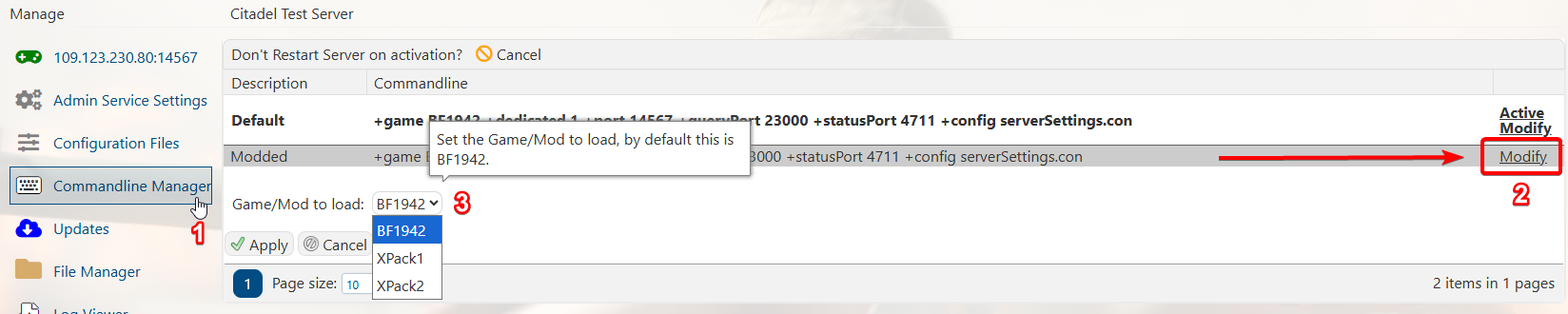
4. You can now start your server with your mod
Did the above information not work for you?
Please click here to contact our support via a ticket.