
Click here to order your Mount & Blade II: Bannerlord server with Citadel Servers today!
This guide will show you how to install the Bannerlord Co-op Mod on your Mount and Blade 2 Bannerlord Server
Bring a new multiplayer experience to your Mount & Blade II: Bannerlord server by installing the Bannerlord Co-op Mod, allowing players to experience the world of Calradia together in a cooperative environment. This mod introduces multiplayer campaign features, enabling friends and communities to team up, explore, battle, and progress through the campaign alongside each other. Installing the Bannerlord Co-op Mod requires careful setup to ensure the server files, mod dependencies, and configuration settings are properly installed and compatible with your game version. A correctly configured server will provide a smoother experience and help prevent connection issues or crashes during gameplay. This guide will walk you through the steps required to install and configure the Bannerlord Co-op Mod on your Mount & Blade II: Bannerlord server. Whether you are hosting a private session for friends or managing a dedicated server for a larger community, following these steps will help you get your cooperative campaign up and running.
Installing Bannerlord Coop Mod on your M&B2:Bannerlord Server
1. Log in to your Game Control Panel and navigate to your service.
2. Navigate to the Mod Manager Tab.
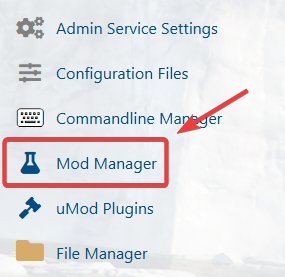
3. In the Mod Manager, search for the Bannerlord Co-op mod and install it.

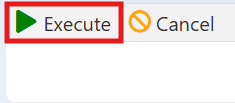
4. Once the mod is installed, navigate to the BCOOP Steam Update tab and run the update.
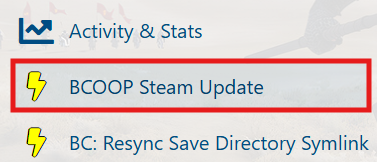
This will update the Co-op Mod to the latest version. For all future mod updates, use this same updater to install the latest version.
Connecting to your Bannerlord Co-op mod Server
(NOTE: To ensure your server can connect properly to the game, verify that the server game port is set to 4200, as this port is required for a successful connection. If your server is using a different port, please contact the support team to have it updated.)
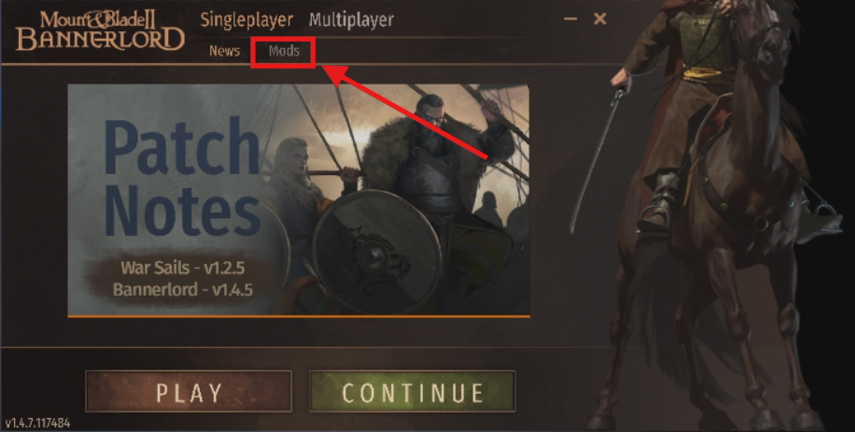
1. Launch the game, then select Mods from the Game Launcher, located below the Single Player and Multiplayer options.
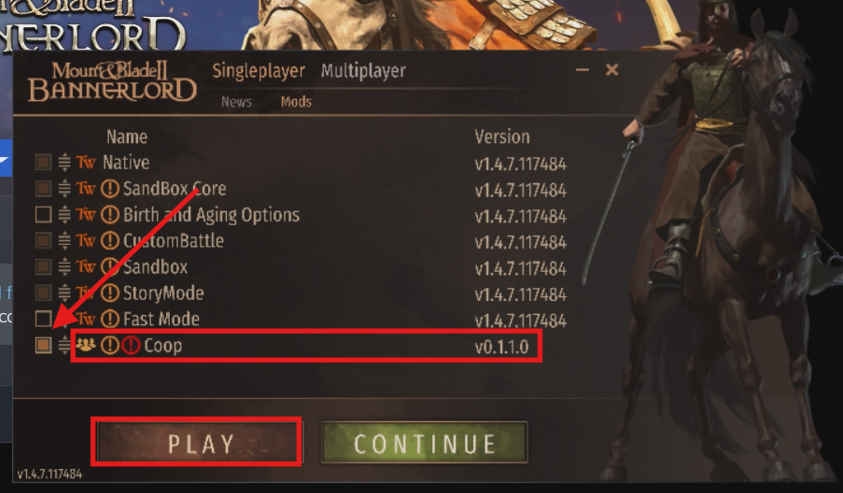
2. Locate the Co-op mod in the mod list and enable it by checking the box next to it.
Once selected, click Play to launch the game with the Co-op mod activated.
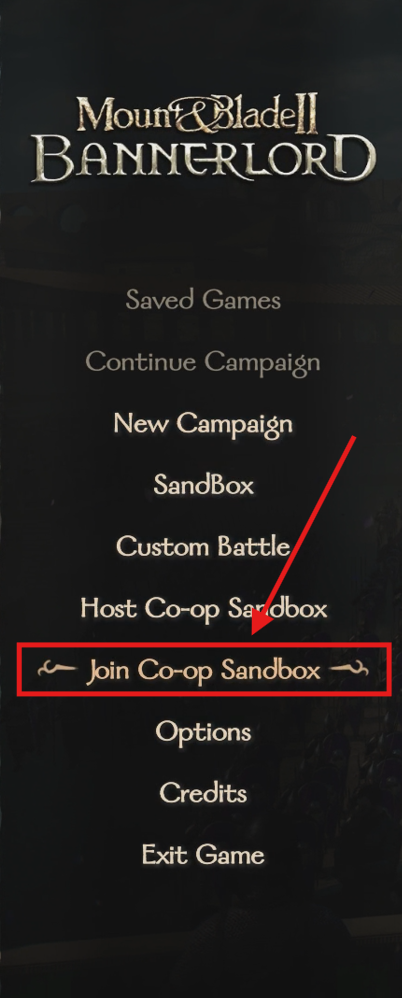
3. Once you are in the game, select the Join Co-op Sandbox Campaign button to connect and begin playing the cooperative campaign.
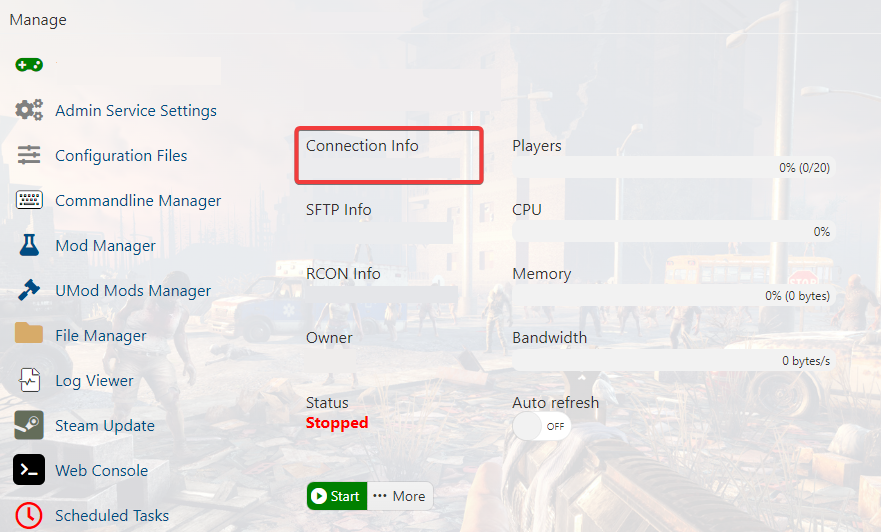
4. In the lobby, you can connect to your server using Direct Connect with the connection details provided on your server dashboard.
Alternatively, you can use Steam Lobbies to connect through your Steam account for a more convenient setup.
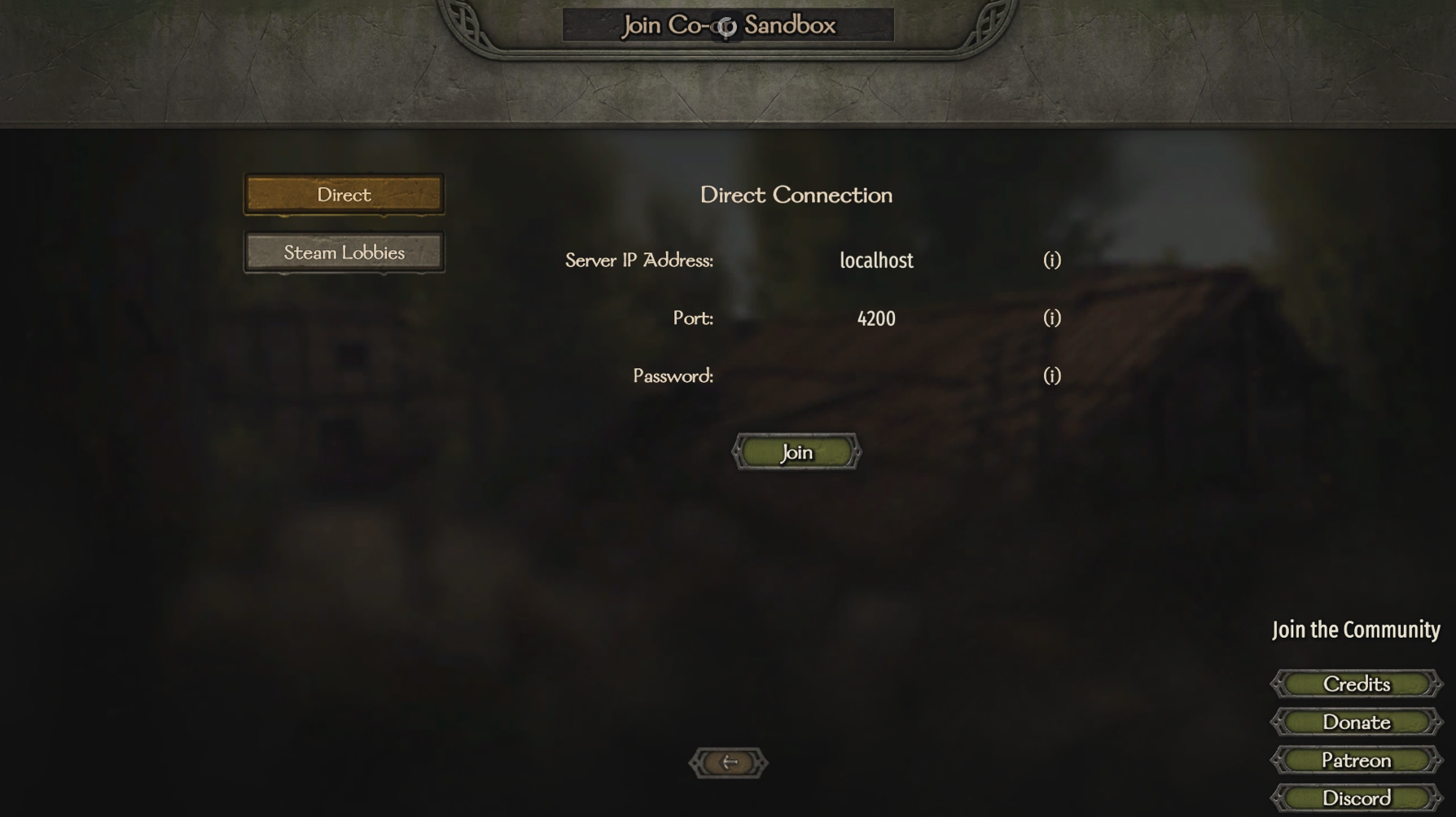
After entering the required connection details, click Join to connect to the server and enter the Co-op campaign.
Enjoy playing the Bannerlord Co-op Mod with your friends on your Mount & Blade II: Bannerlord server and experience the campaign together in a cooperative adventure.
Did the above information not work for you? Please click here to contact our support via a ticket.