
How to Host an Unreal Tournament 3 Server – Step-by-Step Guide
Hosting your own Unreal Tournament 3 dedicated server gives you complete control over your multiplayer matches. Whether you're running Deathmatch, Capture the Flag, Warfare, Vehicle CTF, or custom game modes, a dedicated server lets you customize maps, mutators, player limits, and server rules for the ultimate arena experience.
This guide explains how to host your own Unreal Tournament 3 server and why Citadel Servers is an excellent choice for dependable game hosting.
Step 1: Choose a Reliable Hosting Provider
Unreal Tournament 3 requires stable hardware and a reliable network to provide fast-paced, low-latency gameplay, especially during larger multiplayer matches.
When choosing a hosting provider, consider the following:
Performance: Modern CPUs and NVMe SSD storage reduce loading times and keep gameplay running smoothly.
Network Stability: Low-latency connectivity minimizes lag and ensures responsive combat.
Easy Server Management: A web-based control panel makes configuration, updates, and restarts simple.
Custom Content Support: Full file access allows you to install custom maps, mutators, and server modifications.
24/7 Technical Support: Expert assistance is available whenever you need help.
Citadel Servers provides all of these features with enterprise-grade infrastructure optimized for Unreal Tournament 3 hosting.
Step 2: Order Your Unreal Tournament 3 Server
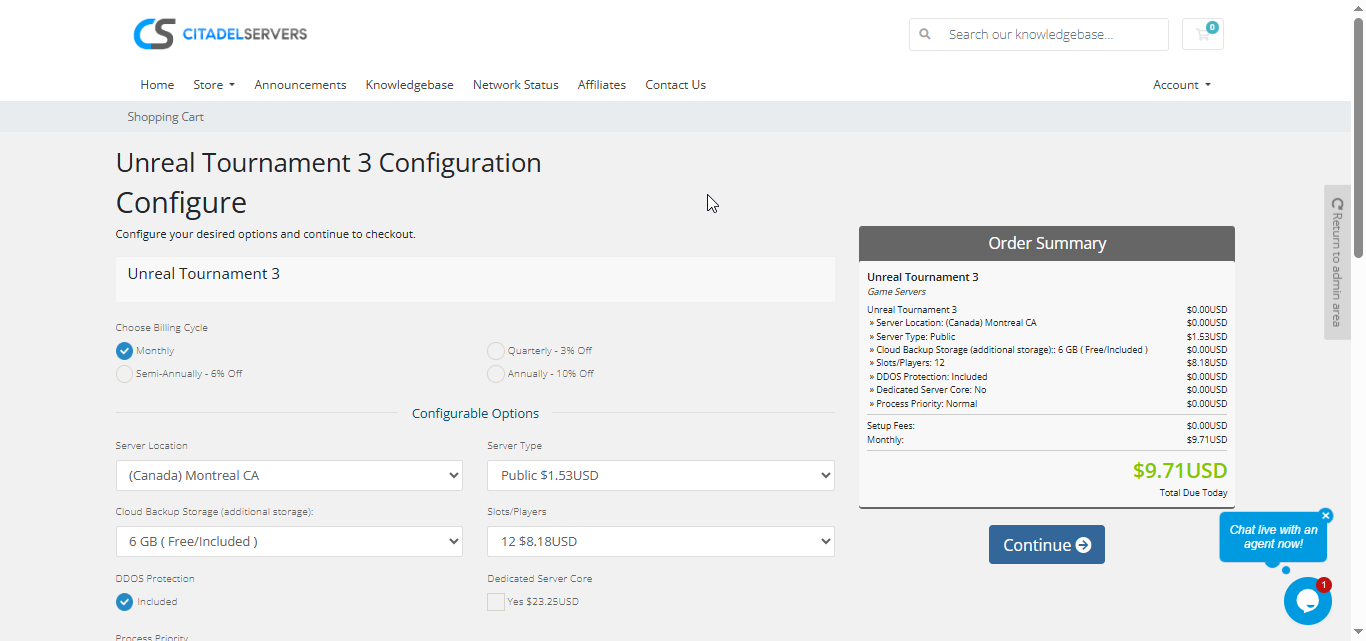
Getting started with Citadel Servers is quick and easy:
1. Visit the Unreal Tournament 3 Server Hosting page.
2. Select the number of player slots for your server.
3. Choose the datacenter location closest to your players.
4. Add any optional upgrades that suit your needs.
5. Complete your order and your server will be deployed automatically.
Your Game Panel login information and server details will be sent to your email shortly after deployment.
Step 3: Configure Your Server
After your server has been deployed:
Log into your Game Panel.
Configure your server name, password, administrator settings, and welcome message.
Select your preferred game mode, maps, player limits, bot settings, and gameplay rules.
Upload custom maps, mutators, or other supported server content using the built-in File Manager or FTP access.
Restart the server after making configuration changes.
Step 4: Launch Your Server
Once your configuration is complete, start the server from your Game Panel and invite players to join.
Players can connect through the in-game server browser or by using your server's IP address.
You'll also be able to:
- Restart or stop your server
- Install or update custom content
- Edit server configuration files
- Monitor server logs and player activity
- Schedule maintenance and backups
Everything is managed through one convenient web-based control panel.
Why Host with Citadel Servers?
Hosting your Unreal Tournament 3 server with Citadel Servers provides the speed, reliability, and flexibility needed for competitive multiplayer gaming. Whether you're hosting casual matches or competitive tournaments, our infrastructure is designed to deliver a smooth experience.
What Makes Us Stand Out
Instant Setup: Your server is automatically deployed after payment.
High-Performance Hardware: Powerful Ryzen processors and NVMe SSD storage provide fast loading and responsive gameplay.
Worldwide Datacenters: Choose from multiple server locations for the lowest possible latency.
Full File Access: Upload custom maps, mutators, and other supported server content without restrictions.
Easy Server Management: Manage configuration files, updates, restarts, and monitoring through the Game Panel.
Automatic Backups: Protect your server configuration and custom content with backup options.
24/7 Expert Support: Our experienced support team is available around the clock to help with setup and troubleshooting.
Whether you're recreating classic arena battles or hosting a competitive community, Citadel Servers provides the performance and tools you need for a reliable Unreal Tournament 3 server.
Order your Unreal Tournament 3 Server today