

Player-versus-Player (PvP) gameplay in 7 Days to Die lets players fight each other, adding an extra layer of competition, strategy, and survival challenges to your multiplayer server. Whether you want to create a competitive survival environment, encourage friendly battles between players, or introduce additional challenges to your community, configuring the PvP settings allows you to customize how players interact and engage in combat. By adjusting the PvP configuration options, you can control whether players are allowed to damage and fight one another, helping you establish the type of multiplayer experience you want to provide. For example, you can enable PvP for communities that enjoy competitive gameplay, restrict player-versus-player combat for cooperative survival experiences, or configure specific damage rules to create a balance between cooperation and competition. Properly configuring these settings is particularly important for server administrators who want to establish clear gameplay rules and maintain a consistent multiplayer experience. Choosing the appropriate PvP configuration can help prevent unwanted player conflicts, encourage teamwork, and ensure that the server environment aligns with your community's preferences. In this guide, we will walk you through the process of configuring the PvP settings on your 7 Days to Die server using the Citadel Servers Game Panel. You will learn how to find the relevant configuration options, adjust the PvP settings, and apply your changes so your server delivers the desired player-versus-player gameplay experience.
Configuring PvP Settings
1. Log in to your Game Control Panel.
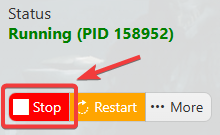
2. Before making any modifications, stop the server from running by clicking the Stop button.
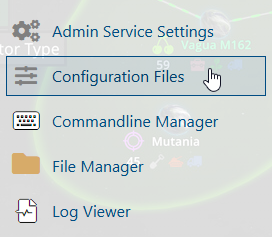
3. Navigate to Configuration Files.
4. In the Configuration Files section, locate the serverconfigmain.xml file and click Text Editor to open and edit the file.

5. In the file, locate the <!-- Multiplayer --> section, and select your preferred value of PVP gameplay.

| Value | Player Setting | Description |
0 |
No PvP | Players are unable to damage each other in any way. |
1 |
Opt-in PvP with allies only | Player damage is toggled with friendly fire 'On' through the in-game allies list. |
2 |
PvP with strangers only | Players can hurt everyone except for their allies. |
3 |
PvP with anyone | Players deal damage to everyone, including allies. |
6. After editing, click the Save button to apply the changes.

