

In 7 Days to Die, players may spawn at different locations when joining a multiplayer server for the first time or after dying and choosing to respawn. Depending on your server's world settings, this can sometimes result in players spawning far away from one another, making it difficult for friends or community members to meet up, explore together, and begin their survival journey as a group. Fortunately, you can adjust the server's spawn configuration to influence where players appear when entering the world. Configuring players to spawn near one another is particularly useful for private multiplayer servers, cooperative survival sessions, and communities that prefer to play together rather than spend time traveling across the map to find each other. This setting can help create a more convenient multiplayer experience by reducing the distance between players at the beginning of their adventure and making it easier to establish shared bases, gather resources, and explore the surrounding environment as a team. In this guide, we will walk you through the process of configuring your 7 Days to Die server settings to make players spawn closer to one another. We will explain which configuration options control player spawning, where to locate them, and how to adjust the appropriate values to achieve your desired spawn behavior. By following these instructions, you can customize the spawning experience to better suit your server's multiplayer environment and make it easier for players to start their survival adventure together.
Spawning Near Players
1. Log in to your Game Control Panel.
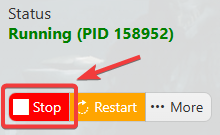
2. Before making any modifications, stop the server from running by clicking the Stop button.
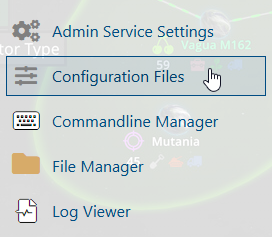
3. Navigate to Configuration Files.
4. In the Configuration Files section, locate the serverconfigmain.xml file and click Text Editor to open and edit the file.

5. In the file, locate the <property name="AllowSpawnNearFriend" line and change its value according to your preferred spawn settings.
0: Disabled
1: Allows new players to join the server near a friend
2: Allows new players to join the server near a friend in the forest biome

6. After editing, click the Save button to apply the changes.

