
This guide will show you how to adjust the Game Difficulty on your Colony Survival Server
Click here to order your Colony Survival server with Citadel Servers today!
In Colony Survival, difficulty settings play an important role in determining how challenging and demanding your colony's survival experience will be. These settings influence various aspects of gameplay, allowing server owners to customize the overall experience based on their preferred level of difficulty. Whether you want to create a more relaxed environment for casual players or introduce additional challenges for experienced colonists, adjusting the difficulty settings can help you tailor the server to your community's preferences. Customizing the game difficulty is particularly useful for multiplayer servers with players who have different levels of experience and gameplay preferences. A lower difficulty can provide a more forgiving environment, giving players additional opportunities to develop their colonies, gather resources, manage their population, and become familiar with the game's mechanics. On the other hand, increasing the difficulty can introduce a greater survival challenge, requiring players to plan their defenses more carefully, manage resources efficiently, and work together to protect their colonies against potential threats. As a server owner, having control over these settings allows you to establish a balanced gameplay experience that suits your community. You can experiment with different difficulty values to find the right balance between accessibility and challenge without necessarily changing your server's overall gameplay configuration. However, keep in mind that certain difficulty adjustments may affect existing gameplay conditions, so it is recommended to review your preferred settings before applying any changes. In this guide, we will walk you through the process of adjusting the game difficulty settings on your Colony Survival server using the server configuration files. We will explain where to locate the relevant configuration options and how to modify their values according to your preferred difficulty level. By following these instructions, you can customize the challenge of your server and create a more enjoyable and engaging Colony Survival experience for you and your players.
Changing the Difficulty Level
1. Log in to your Game Control Panel.
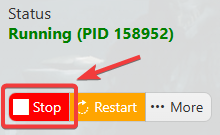
2. Before making any modifications, stop the server from running by clicking the Stop button.
3. Navigate to Configuration Files.
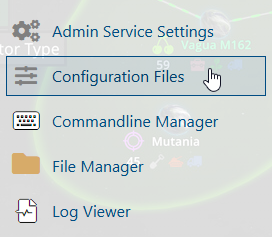
4. In the Configuration Files section, locate the server.json file and click Text Editor to open and edit the file.

5. Modify the desired DifficultyOptions settings according to your preferred difficulty configuration.
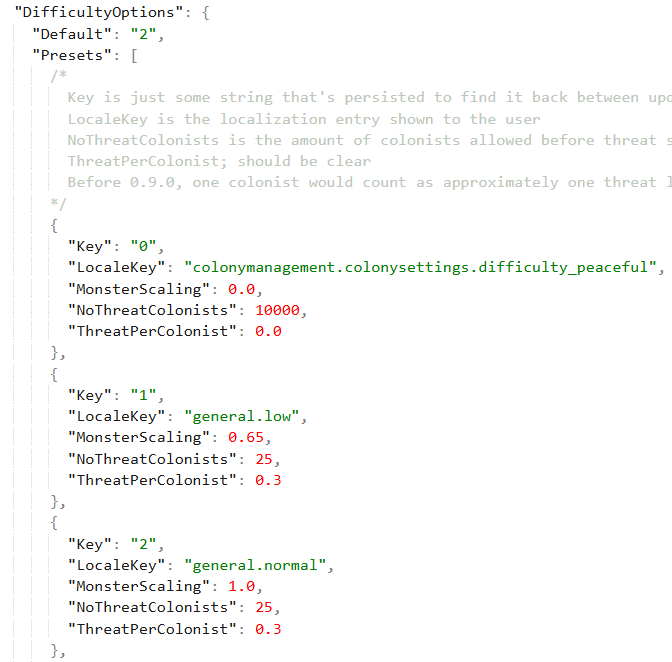
6. After editing, click the Save button to apply the changes.

